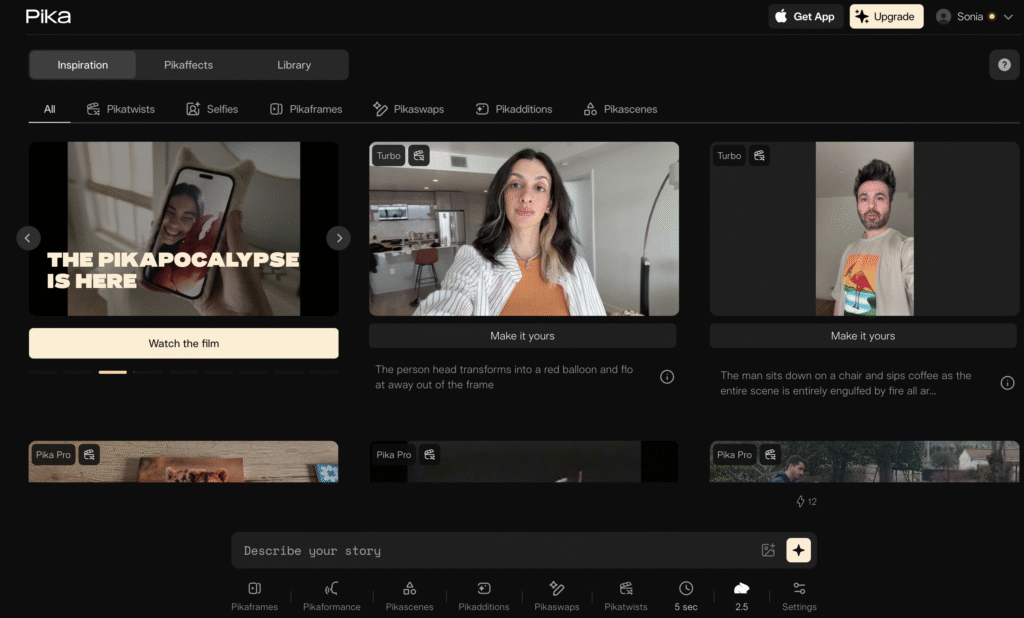
Pika.art

Description

Pika.art is an “idea-to-video” platform that turns text descriptions or uploaded images into short, cinema-style video clips (up to ~10 seconds), using advanced generative AI.

Key Features

  • Generate video from text prompts, specifying subjects, camera moves, style and scene.
  • Create video from uploaded images (image-to-video), animate a still image into motion.
  • Unique “Pikaffects” and other creative effects (e.g., melt, crush, swap objects) to stylise or transform visual elements.
  • Multiple aspect ratios and resolutions (up to ~1080p for short clips), ready for social media or creative youth projects.

Accesibility

  • Web-based platform (browser) with intuitive UI, minimal technical skills required.

Use Cases

  • Students can create short animated videos telling their story or project concept without needing traditional video-editing skills.
  • A youth group can use Pika.art to visualise their ideas for social campaigns (e.g., “what if we imagine a future city”), turning prompts into animated clips.
  • Multilingual youth participants can upload a prompt in their native language and visualise their idea in motion, supporting inclusion of non-native speakers.
  • Creative media workshops: participants experiment with “melt”, “explode”, “swap object” effects to reflect themes like transformation, identity, change in youth-led storytelling.

Pricing Model

  • Free/Basic plan: offers a limited number of credits per month (for example 80 credits) with watermark and personal-use only.
  • Standard tier (~USD $10/month) gives more credits (≈700/month), faster generation, but still with watermark and typically personal-use only.
  • Pro tier (~USD $35/month) gives ~2,300 credits/month, supports commercial use and un-watermarked output.
  • Fancy / higher tier (~USD $95/month) for power users, more credits (~6,000/month) etc.

Use these tips

  • Use cinematic-style descriptions
  • Formula: Subject + movement + environment + style + camera feeling
  • Good prompt: Young people laughing and collaborating during an outdoor Erasmus+ workshop near the sea, cinematic style, warm sunset lighting, smooth camera movement.
  • Add keywords like: dynamic motion, anime style, cinematic, realistic, drone shot, slow motion.
  • Avoid: overly technical instructions, long complicated sentences,multiple scenes in one prompt.

*Disclaimer: We have compiled AI tools on this page that we consider helpful for youth (information) work professionals. The tools presented do not constitute advertising; we do not receive any money for them. We cannot guarantee that individual details – such as prices – are up to date at all times.

Leave a Reply

Your email address will not be published. Required fields are marked *