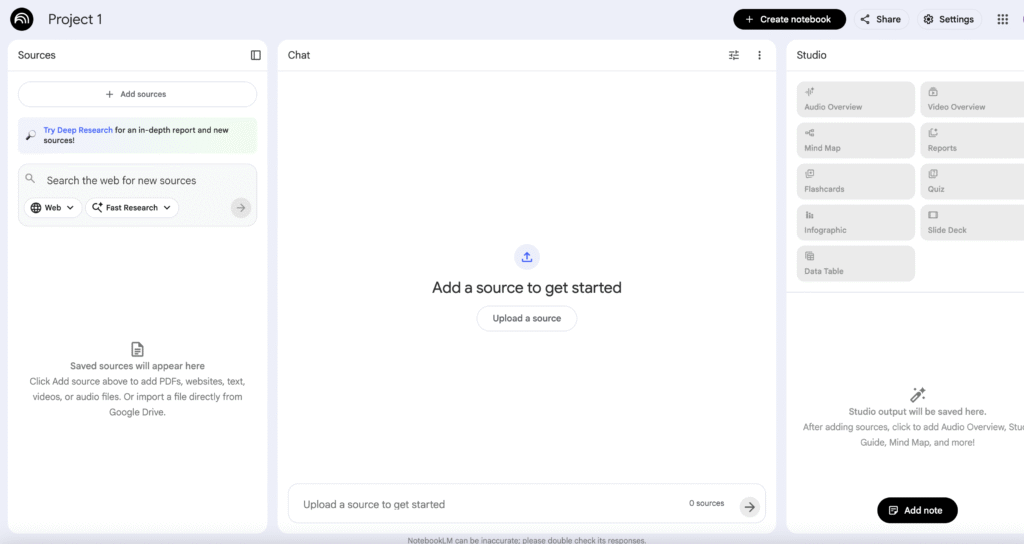
Google Notebook LM

Description

AI-powered note-taking and research assistant that allows uploading documents and engage in conversational analysis: summarising sources, generating mind-maps, audio overviews or discussion prompts.

Key Features

  • Source-upload and summarisation
  • Conversational research
  • Audio/video overview generation
  • Collaboration & sharing

Accesibility

  • Notebook LM supports Audio Overviews in 50 + languages, enabling users to listen to summaries of uploaded documents rather than only reading them.
  • Users can upload multiple source formats (PDFs, Google Docs, Slides, website links, YouTube videos) and then ask the system to summarise, explain and create content from them – which aids users with reading or processing challenges.
  • Language support and output-language selector: Notebook LM allows selecting the language for responses and audio output, making it more accessible to non-native English speakers.

Use Cases

  • Research labs with youth: upload multiple documents or sources (e.g., on mental-health, intercultural dialogue) and ask Notebook LM to generate key insights, discussion questions or peer-work tasks.
  • Reflective learning: youth workers and participants can co-build notebooks to capture learnings from creative labs or mobility experiences, then use audio overviews for review.
  • Content-creation support: use Notebook LM as a brainstorming partner to draft educational tool content, script ideas or workshop reflection prompts from collected materials.
  • Accessibility for non-native speakers: the conversational interface allows youth workers to ask clarifying questions about sources and receive simplified or adapted explanations.

Pricing Model

  • Free tier: basic access to Notebook LM with limited usage of notebooks/ sources/ queries.
  • Paid/Plus (e.g., via Google One AI Premium): $19.99/month includes Notebook LM Plus features – 5x more Audio Overviews, notebooks, and more”.
  • Premium features also include chat-0nly notebooks, advanced chat settings and analytics capability.

Use these tips

  • Tip: Upload only the documents, links or notes that are truly relevant to your topic/area. The quality of the answers depends on the quality of the sources. Many “disconnected” uploads make it harder for NotebookLM to maintain context or provide meaningful insights.
  • Prompts: The simpler the better: Source + task + output
    Example:
    “Using the uploaded report, identify the main ideas and present them as 5 bullet points”.

*Disclaimer: We have compiled AI tools on this page that we consider helpful for youth (information) work professionals. The tools presented do not constitute advertising; we do not receive any money for them. We cannot guarantee that individual details – such as prices – are up to date at all times.

One Response

Leave a Reply

Your email address will not be published. Required fields are marked *