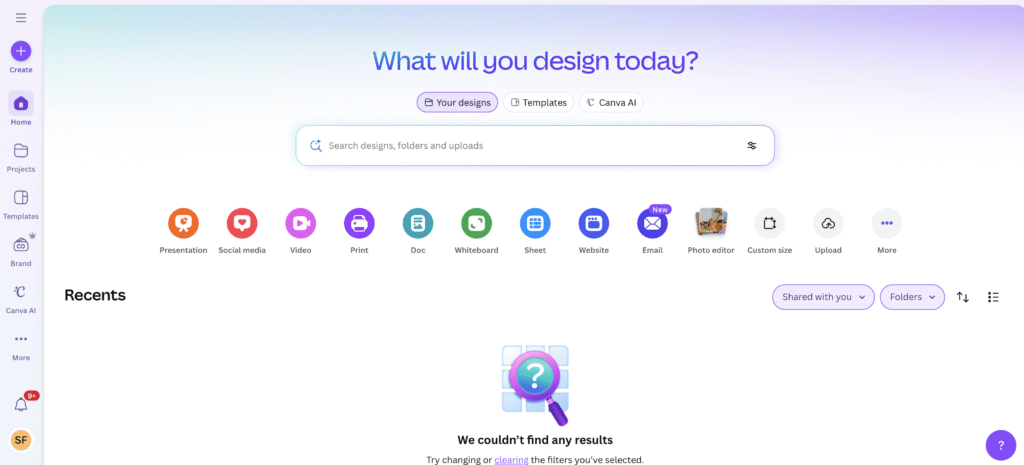
Canva

Description

Canva is a web-based design platform that enables creation of graphics, presentations, social posts and videos. it integrates AI features – such as text-to-image generation, background removal, voice-overs and smart resizing – to simplify design for users of all skill levels.

Key Features

  • AI-powered design tools (“Magic Studio”). e.g. AI image generator and editing, AI-assisted audio/video, smart layout and format conversion, etc.
  • Ad-tech/marketing integrations (including Meta / Facebook/Instagram)
    Content planning & scheduling (social media workflow)
  • Brand & team collaboration features

Accesibility

  • Browser-based, also has desktop and mobile apps.
  • Templates and AI features reduce design-skill barrier – useful for non-design-specialist professionals and youth themselves
  • Canva includes built-in features to support inclusivity: alt-text for images and graphics, colour-contrast checking, keyboard shortcuts for navigation, and dark/light mode.
  • Canva also offers a Design Accessibility tool, which checks for common issues (contrast, typography sizing, alt-text, etc.) in one’s design.

Use Cases

  • Youth campaign design: youth workers can more easily generate visuals, posters or social-media graphics for youth campaigns, e.g. mental-health campaign, using prompt-based image creation and templates in general.
  • Workshop slide creation: youth workers can use Canva’s AI features to quickly create and adapt presentation slides.
  • Video/audio content: youth workers can create voice-over narrated videos using Canva’s AI audio and avatar features.
  • Co-creative learning: as a collaborative tool, it’s useful for youth workers to design shared infographics, campaign assets or reflection materials.

Pricing Model

  • Free: €0 /year for one person. Includes drag-and-drop editor, 1.6 M+ templates, 4.7 M+ photos/videos/graphics/audio, 1 Brand Kit, limited AI access for design/images/video, and 5 GB cloud storage.
  • Pro: €110 /year for one person. Unlocks 3.6 M+ templates, 141 M+ premium media assets, 5 Brand Kits, high AI access for design/images/video, content scheduling, and 100 GB storage.
  • Business: €160 /year per person. Adds team collaboration tools, approvals, integrations, 100 Brand Kits, advanced AI features, reporting, and 500 GB storage.
  • Enterprise: Custom pricing. Provides enterprise-level security, SSO/SCIM, 1 TB storage, dedicated support, advanced integrations, and high-tier AI creation tools.
  • Nonprofits: Can get a free subscription with premium features of Canva Pro, plus team and collaboration tools for one team of up to 50 users. Users need to apply for this.

Use these tips

Good prompts:

  • Create an Instagram post for a youth workshop about mental health. Use colorful modern visuals, Gen Z style, include space for Erasmus+ logo, workshop title, date and location.
  • Create a 6-slide interactive presentation for young people explaining Erasmus+ Youth Exchanges with visuals, icons and simple language.
  • Create animated Instagram stories for a youth environmental campaign using green colors, dynamic transitions and modern typography.
  • Create a 30-second TikTok-style promotional video for an Erasmus+ youth exchange focused on sustainability and intercultural learning.

Good practices:

  • Clearly define the CONTENT FORMAT→ Instagram post, story, Facebook banner, flyer, thumbnail,etc.
  • Always specify the TARGET AUDIENCE→ teenagers, youth workers, volunteers, students, local community,etc.
  • Describe the VISUAL STYLE→ modern, minimalistic, colorful, playful, professional, Gen Z style,etc.
  • Add COLORS and MOOD → warm colors, eco vibe, energetic, inclusive, youth-friendly,etc.
  • Mention ELEMENTS that must be included → logo, QR code space, date, title, social media handles,etc.

Avoid: “Make me a poster for youth.” Focus on:

  • CONTENT STRUCTURE→ number of slides, infographic sections, charts…
  • Ask for DATA VISUALIZATION → timelines, statistics, process diagrams…
  • Define the PRESENTATION TONE → educational, engaging, interactive, beginner-friendly…
  • For workshops:→ ask for an “interactive presentation”

*Disclaimer: We have compiled AI tools on this page that we consider helpful for youth (information) work professionals. The tools presented do not constitute advertising; we do not receive any money for them. We cannot guarantee that individual details – such as prices – are up to date at all times.

Leave a Reply

Your email address will not be published. Required fields are marked *