Read.ai

Description

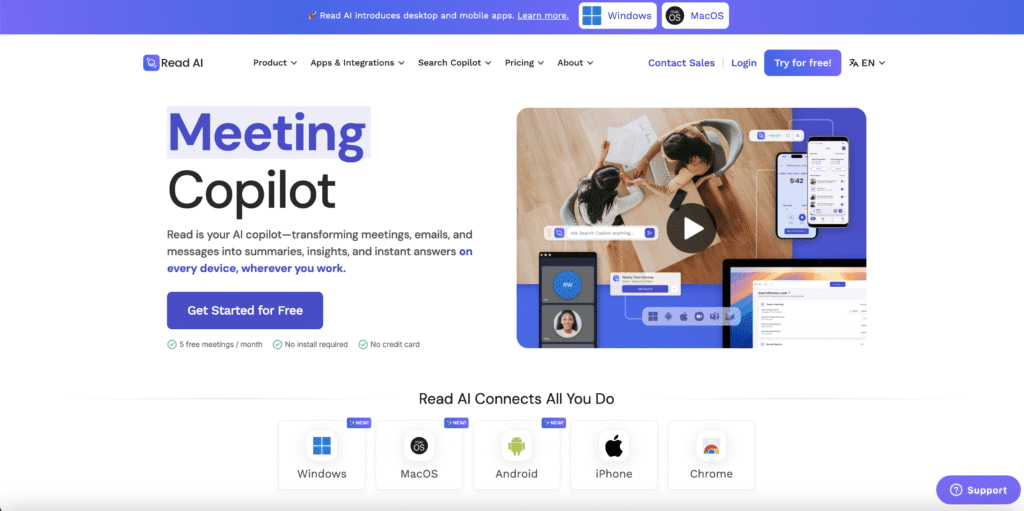
Read is your AI copilot—transforming meetings, emails, and messages into summaries, insights, and instant answers wherever you work.

Key Features

  • Transcription with an analytical approach
  • Meeting management

Accesibility

  • For Youth with hearing impairments (Deaf/Hard of Hearing): provides Automatic Speech Recognition (ASR) to provide live, real-time captions of a meeting or lecture. The text appears instantly on the screen as people speak.
  • For individuals with Auditory Processing Disorder (APD), ADHD, or Dyslexia, the text transcript serves as an alternative or augmentation to listening
  • Read.ai provides live-transcription and transcription in English, French, Spanish, German, Italian, Portuguese, Dutch, Polish, and more.

Use Cases

  • Focus on dialogue through automatic note taking and allow you to focus on the core of the meeting.
  • The notes are available in a structured summary.
  • Provides transcription.
  • Can join automaticallty virtual meetings.
  • Puts summaries in other tools (Slack, Notion, etc) to automate the followup.
  • Provides an analytical approach and valuable metrics such as participation engagement, speaker coach (talking speed, filler words) and emotional tone.

Pricing Model

  • Free: For individuals starting out, with 5 meetings per month complete with summaries, transcription, and search.
  • Pro: 15$/month: For individuals and small teams who want basic transcription, search, and premium integrations.
  • Entreprise: 22.50$: For individuals and teams who want video playback and other supercharged capabilities.
  • Entreprise+ : 29.75$: For larger teams and organizations who need security and controls for scale

Use these tips

  • Tip: If you use Read.ai for regular project meetings, put related meeting reports into a folder. This makes it easier to find past discussions from the same project later.
  • Prompts: The more specific, the better: Specific question + topic/person/project + output (to be typed in the chat)
    Example:
    “What deadlines were mentioned for the website update in this meeting? Answer in short bullet points”.
  • Some other prompts:
    • What was decided about [topic] in this meeting?
    • What deadlines were mentioned for [task/topic]?
    • What concerns were raised about [topic]?
    • What did [name] say about [topic]?
    • Find the part where [topic] was discussed.
    • Write a short follow-up email about [topic] based on this meeting.
    • Create a short update for someone who missed this meeting, focusing on [topic].

*Disclaimer: We have compiled AI tools on this page that we consider helpful for youth (information) work professionals. The tools presented do not constitute advertising; we do not receive any money for them. We cannot guarantee that individual details – such as prices – are up to date at all times.

Leave a Reply

Your email address will not be published. Required fields are marked *